
Async Tools That Actually Save You Time

Remote work promised flexibility — but for many teams, it delivered more meetings, more pings, and less focus.
In 2026, the teams that truly save time aren’t working faster. They’re working asynchronously.
Async tools help teams collaborate without needing everyone online at the same time. Done right, they reduce interruptions, improve clarity, and protect deep work.
This guide breaks down:
What async time really means
The best time-saving async tools
And which tools actually help teams work smarter (not louder)
What Is Async Time?
Async time is work done without requiring an immediate response.
Instead of:
“Can you jump on a quick call?”
“Just checking in 👀”
“Are you there?”
Async work allows people to:
Respond when they’re focused
Work across time zones
Avoid constant context switching
Async isn’t slower — it’s more intentional.
Why Async Tools Matter for Time Management
The best tool to manage time effectively isn’t a timer — it’s a system.
Async tools help teams:
Reduce unnecessary meetings
Cut down real-time interruptions
Document decisions automatically
Improve accountability without micromanagement
When async tools are used correctly, teams gain hours back every week.
The Best Async Tools That Actually Save Time (2026)
1. StandupAlice — Async Standups Without Meetings
Best for: Daily updates, accountability, and team alignment
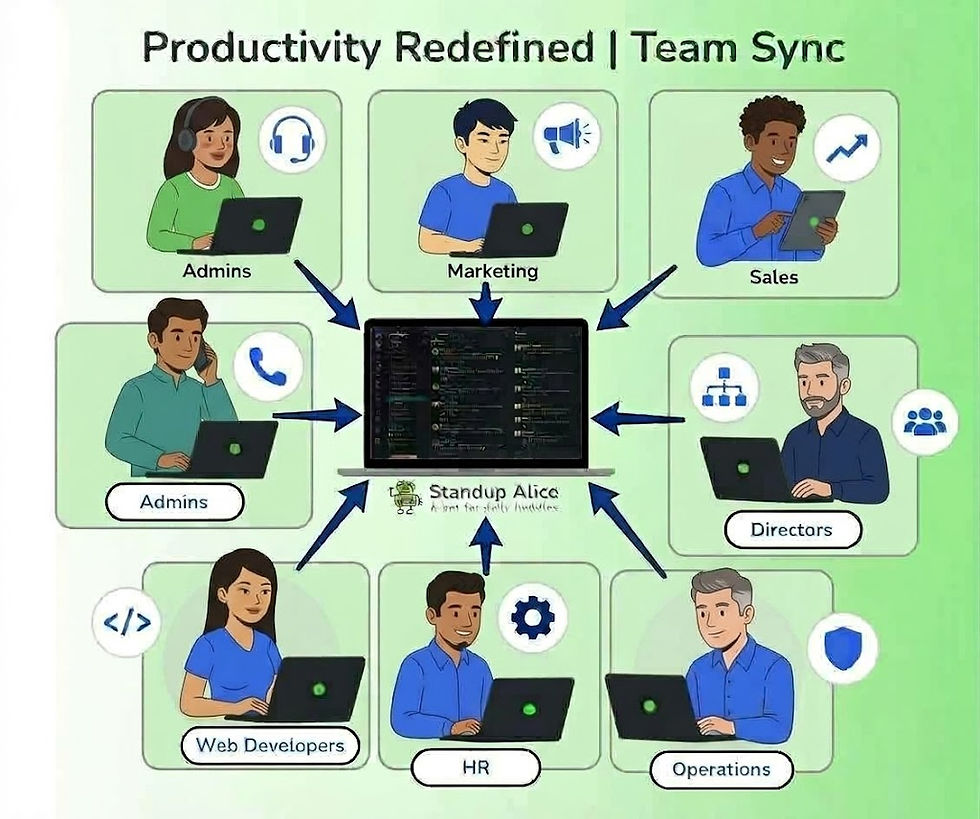
StandupAlice is designed specifically for async work. Instead of live standup meetings, team members post structured updates asynchronously — and Alice does the rest.
Why it saves time:
No daily standup meetings
Automated summaries delivered to Slack
Clear visibility into blockers and progress
Zero follow-ups needed
For teams serious about async work, StandupAlice is the foundation.
2. Slack (Used Async-First)
Best for: Conversations, lightweight coordination
Slack only saves time when teams stop treating it like a chat room.
Async-friendly Slack habits:
Fewer “urgent” messages
Clear expectations around response times
Commands, threads, and summaries instead of calls
Slack works best alongside async-first tools like StandupAlice.
3. Notion — Centralized Knowledge (Not Real-Time Work)
Best for: Documentation, long-form thinking
Notion saves time when it’s used as a reference — not a live workspace.
Good async use cases:
Team handbooks
Product docs
Decision logs
Notion supports async work, but it doesn’t replace structured updates.
4. Loom — Explain Once, Not Ten Times
Best for: Async explanations and walkthroughs
Instead of meetings:
Record once
Share asynchronously
Let teammates watch on their schedule
Huge time saver for onboarding and feedback.
5. Calendar Blocking + Async Norms
Best for: Protecting focus time
Async tools only work when calendars support them:
Fewer default meetings
Clear deep-work blocks
Async updates instead of sync check-ins
Tools matter — but culture matters more.
Comparison: Which Async Tool Saves the Most Time?
Team Need | Best Async Tool | Why It Works |
Daily updates | StandupAlice | No meetings, automated summaries |
Team chat | Slack | Async conversations when used intentionally |
Documentation | Notion | One source of truth |
Explanations | Loom | No repeat meetings |
Focus time | Calendar + async rules | Fewer interruptions |
What Tool Is Best for Asynchronous Communication?
The best async communication stack is layered, not bloated.
A winning combo in 2026:
StandupAlice → structured async updates
Slack → discussion, not reporting
Notion → reference, not real-time collaboration
Trying to make one tool do everything usually costs time — not saves it.
Where StandupAlice Fits (And Why It Matters)
Most teams struggle with async because updates become:
Unstructured
Inconsistent
Easy to ignore
StandupAlice solves this by:
Asking the right questions
Collecting updates automatically
Summarizing progress clearly
Delivering everything inside Slack
It removes the biggest async failure point: missing context.
If you’re building an async-first workflow and want to reduce meetings without losing alignment, these resources go deeper into practical async strategies:
Final Thoughts
Async tools don’t save time by themselves.
The right async tools — used intentionally — do.
In 2026, high-performing teams:
Communicate less, but clearer
Meet less, but align more
Use async tools designed for focus
If your goal is to truly save time, start with async updates — and build from there.


Comments